
The performance of a modern computer is not determined solely by the raw power of its processor or graphics card, but by the system’s ability to keep data in constant motion. As soon as one component falls behind the others, a bottleneck occurs, slowing down the entire ecosystem. Understanding this phenomenon is the key to a balanced machine, where the hardware works in perfect synergy rather than against each other.
What is a hardware bottleneck?
In computer architecture, components do not function as isolated units, but as a tightly synchronized ecosystem based on the principles of Von Neumann’s concept. The overall performance of the system is not defined by the sum of the raw performance of the individual chips, but by their ability to seamlessly transfer data in continuous cycles. This flow of information begins at the storage level, from where the necessary data is transferred to the operating memory and then through a hierarchy of cache memories directly to the processor. After processing the game logic and geometry, the processor sends instructions via the PCIe bus to the graphics chip. A bottleneck is then a state of system imbalance, where the data throughput or computing capacity of one specific element in this chain reaches its ceiling and forces the rest of the hardware to slow down to its level.
The key to understanding this phenomenon is the Rendering Pipeline mechanism, a sequential processing chain in which the processor acts as the superior manager of the entire process. Before the graphics card renders a single pixel, the processor must perform critical calculations of game physics, artificial intelligence, and collisions, based on which it then issues commands to the graphics chip. If the graphics card is capable of rendering 200 frames per second, but the processor can only prepare data and instructions for half of them, the resulting performance will remain fixedly limited. In such cases, a phenomenon known as GPU Idle States occurs, where millions of transistors in the graphics core remain idle, waiting for further instructions.
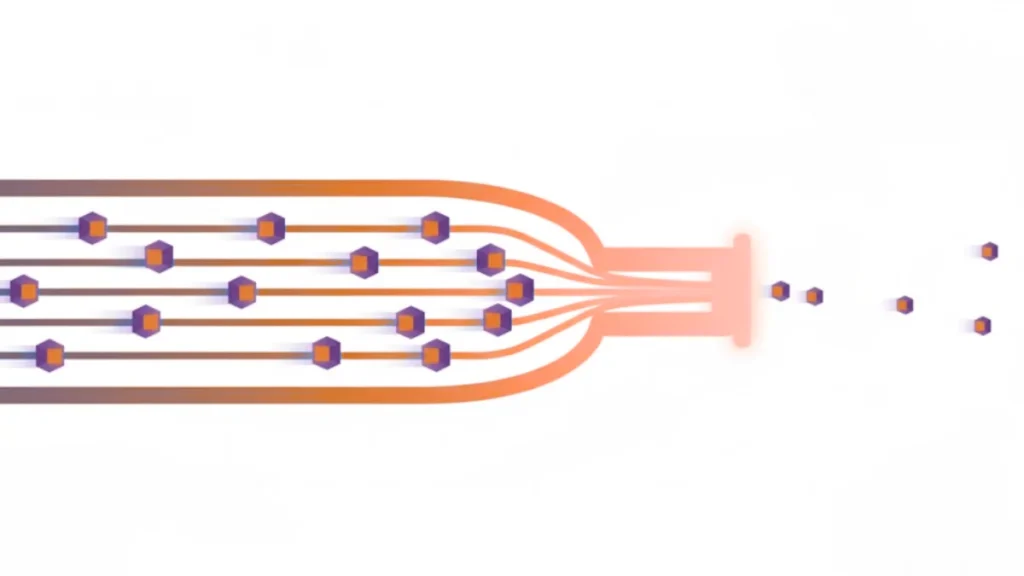
Typology of limitations in modern systems
Identifying a specific bottleneck requires understanding where in the data chain the requests are accumulating. Bottlenecks may not only relate to raw processor performance, but often stem from infrastructure limitations of the motherboard or memory subsystem. In current hardware, we most often encounter four key forms of limitations:
- Compute Bound: Lack of raw core performance. Architecture and IPC (instructions per cycle) play a key role. If the processor has low IPC, even high frequency will not prevent bottlenecks in modern games that require fast processing of complex instruction sets.
- Bandwidth Bound: A state where communication buses reach their maximumcapacity. A typical example is the limitation of PCIe 3.0 or 4.0 in high-performance cards with a limited number of lanes, where the graphics chip does not receive data fast enough.
- Memory Latency: The time spent waiting for the processor to receive data from RAM. High latency, often caused by poor DDR5 timing, creates processor downtime. Today, this deficit is critically compensated for by massive L3 Cache.
- Storage Bottleneck: With the advent of DirectStorage, the bottleneck has also shifted to disks. Slow SATA SSDs cannot keep up with supplying VRAM with game assets in real time, which manifests itself asstuttering.
Mechanism of occurrence: How performance desynchronization occurs
In practice, bottlenecks are the result of a dynamic imbalance, where each game scene represents a load in a different ratio. CPU limitation primarily manifests itself when the processor reaches its ceiling in managing the game world. The critical indicator here is not the average frame rate, but the stability of the timing of individual frames (Frame Time). If the processor cannot send instructions to the GPU in time, instability occurs, known as 1% Low FPS. The result is jerky movement, which is more distracting to the human eye than a low but stable FPS value.
Conversely, saturation on the graphics card side occurs when processing complex visual operations such as pixel rasterization or computationally demanding ray tracing. At high resolutions, the volume of data grows exponentially, making the processor a secondary component with performance reserves. This state is considered ideal because full GPU utilization means that you are getting the maximum visual potential out of the system.
The last critical point of desynchronization is the memory hierarchy. If the graphics card exhausts its own VRAM, the system is forced to move textures to the system RAM. Since system memory is orders of magnitude slower than dedicated video memory, there is an immediate degradation in smoothness. This type of infrastructure bottleneck is often the most difficult to diagnose because it does not occur continuously, but rather intermittently when entering new game locations or changing graphics settings, etc.
Strategic solutions: How to prevent bottlenecks and optimize the system
Complete elimination of bottlenecks is nearly impossible in practice because in every computing system, one component will always be relatively slower than the others. The goal of modern optimization is not to achieve perfect zero, but to establish such hardware synergy that the system does not limit you in your target usage scenario. This requires a combination of proper component pairing, the use of state-of-the-art acceleration technologies, and precise software calibration.
Hardware synergy and the impact of cache technology The basis of prevention is pairing components from the same technological era. Extreme imbalance, such as combining the most powerful graphics cards of the current generation with an older mid-range processor, leads to massive underutilization of GPU potential. Currently, it appears that the size of the processor’s cache, such as 3D V-Cache technology, can eliminate bottlenecks more effectively than simply increasing the clock speed. By keeping more game data directly at the cores, the processor reduces the frequency of RAM requests and minimizes pipeline downtime. Similarly, a critical factor is the configuration of the operating memory – the use of Dual Channel connection is now an absolute standard for ensuring sufficient bandwidth, without which even the most powerful processor artificially slows down the graphics subsystem.
Software compensation and intelligent scaling with DLSS 4 – If you identify a bottleneck in your system, modern technologies offer tools to effectively bridge it. Artificial intelligence in the form of NVIDIA DLSS 4 or the latest versions of AMD FSR is revolutionizing this area. The latest iterations of Frame Generation and Ray Reconstruction technology can generate images and reconstruct details with minimal processor assistance, dramatically increasing visual fluidity even in scenarios where the processor is at its limit. At the low-level communication level, the Resizable BAR feature plays a key role. It allows the processor to access the entire VRAM capacity of the graphics card at once, removing outdated barriers to data transfer and eliminating minor image micro-stuttering.
Diagnostics and a pragmatic approach to performance – Bottleneck prevention begins with precise analysis using monitoring tools that track the utilization of individual processor cores and graphics chips in real time. If you identify a processor limitation, an effective solution is to shift some of the load to the GPU by increasing the resolution or activating more demanding visual effects. Conversely, if the graphics card is the bottleneck, reducing settings such as detail density, visibility, or shadow or water quality will clearly relieve the entire system cycle. Ultimately, it is important to approach bottlenecks pragmatically – if your game’s smoothness exceeds the monitor’s refresh rate and the system’s response is stable, the theoretical reserve of one of the components is not a problem that requires immediate investment in new hardware.
Conclusion
A bottleneck is not a fatal flaw in your computer, but a natural state of its current configuration in a specific process. By understanding how data moves between chips and using modern technologies to bridge performance gaps, you can design a system that will function as a harmonious whole. A properly balanced computer is not one that has no bottlenecks, but one whose limits lie beyond the user’s perception.
FAQ – Frequently Asked Questions
Is there a computer completely without bottlenecks?
Not in the absolute sense, because in every system there is always one component that is the slowest. The goal is to achieve a balance where hardware limitations do not restrict you when working or playing, and the graphics card runs at full capacity.
Can bottlenecks damage my hardware?
No, it is purely a matter of software and performance inefficiency. Bottlenecks do not cause physical wear and tear – on the contrary, the component that is being slowed down often runs at lower temperatures because it is not using its full potential.
Will overclocking help me eliminate bottlenecks?
It can mitigate it, but rarely eliminate it completely. Increasing the frequency by a few percent will not erase generational differences. It is more effective to use technologies such as DLSS Frame Generation or increase graphics settings to better distribute the load.
How does the bottleneck affect the monitor resolution?
Significantly. At low resolutions (1080p), the processor tends to be the bottleneck, as it cannot keep up with rendering frames. At high resolutions (4K), the bottleneck almost always shifts to the graphics card due to the huge number of pixels it has to render.

Choose a graphics card that isn’t just powerful on paper, but truly matches your processor and entire system. The right choice is key to a setup without limits.