


When building a new gaming PC or choosing a workstation, the eyes of most customers are drawn to one specific parameter: the designation of the graphics chip itself (for example, the RTX 50 series or RX 9000 series). We look at the number of cores, clock frequencies, and raw performance in teraflops. However, even the most brutal graphics processor in the world will drop to the level of integrated graphics if it does not have adequate space for its data.
This dedicated space is the GPU VRAM (Video Random Access Memory). In the era of Unreal Engine 5.4, full-fledged path tracing, and AI frame generation, GPU VRAM has become the most critical bottleneck of modern computers. In this comprehensive guide, we will look at how this technology works, what exactly it stores, and what happens when its capacity hits its limits.
What is GPU VRAM and why can’t we just use standard RAM?
GPU VRAM is a highly specialized random access memory that is physically soldered directly onto the printed circuit board (PCB) of the graphics card. It is located literally just a few millimeters from the silicon core (GPU) itself.
You might be asking: Why does a graphics card need its own expensive memory when I have 32 GB or 64 GB of fast DDR5 system memory in my computer?
The answer is architecture and bandwidth. System RAM (and the main CPU paired with it) is designed to process a huge number of small, serial tasks very quickly – switching browser windows, running the operating system, physics calculations.


Conversely, a graphics chip (GPU) works differently. It has thousands of small cores that have to do simpler math, but all at once (parallel processing). Rendering a single 4K frame means calculating the color for more than 8 million pixels in a fraction of a second. For the graphics core to feed all these pixels, it needs an extreme data highway. While standard DDR5 system RAM reaches a bandwidth of around 60 GB/s, modern GPU VRAM routinely transfers data at speeds of 800 GB/s to 1000 GB/s. Furthermore, the physical proximity of the memory modules to the core reduces latency (response time) to an absolute minimum.
What exactly does GPU VRAM store?
Whenever you launch a demanding game or 3D rendering software, the GPU VRAM immediately starts filling up with various types of data. The graphics card must have this information ready for immediate use:
- High-resolution textures: This is the biggest memory hog. Modern games use 4K or even 8K textures (wall surfaces, character clothing, weapon details) to look photorealistic. If you don’t turn down the details, the textures alone can swallow 10 GB to 12 GB of space.
- Frame Buffer: The higher the resolution you use, the more space the final image takes up before the cable sends it to the monitor. At 4K and on ultrawide monitors, the frame buffer is massive.
- Z-Buffer (Depth Buffer): Data that tells the graphics card which object is in front and which is in the back in 3D space, so it doesn’t render things hidden behind a wall.
- Shadow Maps: Complex data about how hundreds of objects cast dynamic shadows from hundreds of different light sources.
- Ray Tracing / Path Tracing data (BVH trees): Real-time ray tracing requires storing massive spatial structures called Bounding Volume Hierarchies. Turning on ray tracing in the game menu immediately increases memory demands by additional gigabytes.
- AI and Tensor processes (DLSS / FSR): If you use upscaling or Frame Generation, GPU VRAM is used to store previous frames and motion vectors so the AI can invent a new frame from them.
A gamer’s nightmare: What actually happens when a game runs out of GPU VRAM?
This is a key passage for understanding the importance of capacity. If the graphics core runs out of breath (for example, it is too weak), you will find out simply – the game runs smoothly, but you only get 30 FPS. However, if a game completely runs out of GPU VRAM, the consequences are much more drastic and destructive to the gaming experience.
When a game requires 14 GB, but your card only has 8 GB available, a phenomenon called VRAM Paging or Spilling occurs. The graphics card hits the hard limit of its local “workbench.” To prevent the game from crashing, the graphics driver panics and starts moving the missing data across the motherboard (PCIe bus) into the much slower system RAM, or in the worst-case scenario, onto your SSD drive.
In practice, this critical state manifests as follows:
- Massive Stuttering: Average FPS (frames per second) might look good on paper (e.g., 60 FPS), but the game completely freezes for fractions of a second when moving the camera (so-called 1% lows drops). The GPU is literally “standing and waiting” for the slow system bus to deliver the texture it currently needs to render.
- Texture Pop-in: The game engine realizes it lacks capacity. Instead of sharp character and building textures, it loads “LOD 0” models right in front of your nose – blurry, shapeless blobs and blocks that are otherwise intended for objects a kilometer away from you.
- Ray Tracing failures and screen tearing: The card cannot keep the light rays in memory, the image may flicker, or the game starts tearing during every major explosion.
- Crashes: Many modern titles are configured so that if they cannot allocate the necessary data volume, they simply throw an “Out of video memory” error message and crash straight to the Windows desktop.
Key parameters for GPU VRAM in 2026
To avoid the scenario described above, when evaluating a graphics card, you must monitor not only the basic specifications but also the broader technological context of which the GPU VRAM is composed and in which it operates:
1. Capacity (Size in GB)
The demands of games and software have skyrocketed in recent years, largely due to complex engines, massive use of ray tracing, and, unfortunately, poorer optimization of console ports. Today, what was enough a few years ago no longer applies. The current unwritten rules are as follows:
- 12 GB: Currently the absolute minimum for modern games at 1080p resolution if you want to play on high details without having to compromise on texture resolution. As soon as you turn on Frame Generation features in a game, this capacity can fill up very quickly even at 1080p.
- 16 GB: The golden mean and a must-have for comfortable 1440p (QHD) gaming with ray tracing enabled. This size provides a sufficient buffer so the GPU VRAM doesn’t have to constantly move data to the slower system RAM, ensuring smooth FPS without micro-stuttering even in demanding scenes.
- 20 GB to 24 GB: The domain of the high-end segment, essential for full-fledged 4K gaming (for example, on the upcoming NVIDIA RTX 5080 or RTX 5090). At this extreme resolution, the 4K textures and buffers themselves are so huge that any smaller capacity would constantly bottleneck the chip. Such a large GPU VRAM is also an absolute prerequisite for professional 3D modeling work or running local AI models.
2. Type of memory modules
The architecture of the memory directly determines its overall efficiency, response speed (latency), and, last but not least, its energy consumption and heat generation:
- GDDR6 / GDDR6X: Technology from past years that dominated series like the RTX 3000 and RTX 4000. Although it brought a revolution in its time, the 6X version was known for extreme heat and high power consumption. Today, they are only found in cheaper clearance PCs or low-end models.
- GDDR7: Today’s absolute standard, upon which modern GPU VRAM is built. This type brought a huge leap in overall bandwidth thanks to more sophisticated PAM3 signaling, with memory reaching speeds well over 28 Gbps. Due to better efficiency, they run at a lower voltage. Furthermore, the expected higher-density modules (3 GB) will soon allow manufacturers to produce, for example, cards with 12 GB capacity on a small bus, where previously it was technically possible to fit only 8 GB modules.
3. Bus width and Bandwidth
The speed of the module itself means absolutely nothing without a sufficiently wide “highway” through which data flows directly into the graphics core. This data highway is called the memory bus and is given in bits (for example, a narrow 128-bit, a standard 256-bit, or a premium 384-bit). It often happens that manufacturers narrow this bus in an effort to save production costs, thereby artificially throttling the performance of an otherwise great card.
Engineers combine memory speed and bus width to calculate the absolute most important number – overall Bandwidth. This calculation determines how many gigabytes of data the GPU VRAM can transfer in a single second. The formula looks like this:


Practical example and warning: A card with a 256-bit bus fitted with fast 28 Gbps GDDR7 memory will reach a staggering bandwidth of 896 GB/s. Thanks to this, it can instantly load any scene. However, if the manufacturer slashed the bus to only 128 bits, the bandwidth drops exactly in half. Even if you had an extremely fast GPU, this choked GPU VRAM would force it to wait for a supply of data, which manifests in the game as unpleasant tearing and screen freezing.
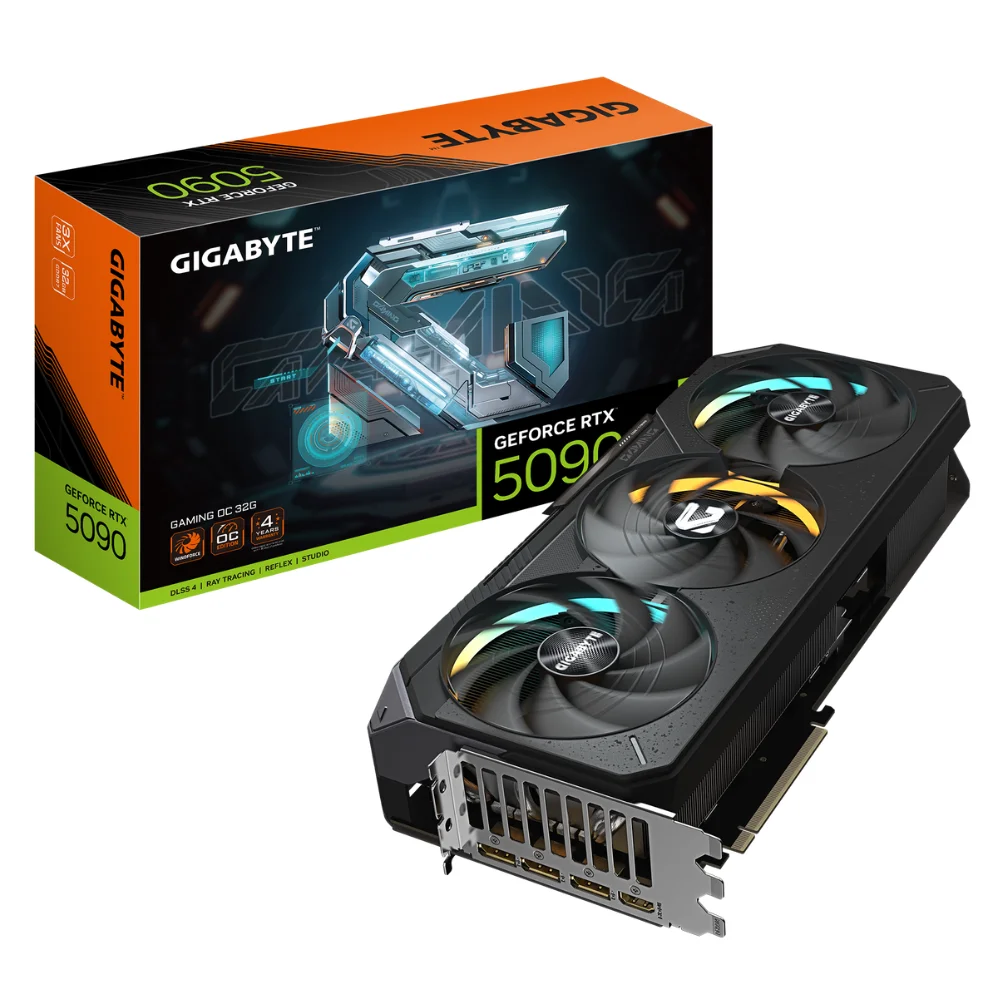
PNY NVIDIA GeForce RTX 5060 Ti OC Dual Fan
|
 ASUS ROG Astral GeForce RTX 5090 OC Edition |
|---|


Final myth: Allocation versus Actual usage
If you turn on in-game diagnostics and see that your GPU VRAM reports 15.5 GB filled out of the available 16 GB, don’t panic. This does not automatically mean that you are running out of space to run the game.
Modern game engines are extremely “greedy,” but in a good sense of the word. To minimize stuttering, they ask Windows to allocate (reserve) almost all the available local capacity that the GPU VRAM offers them. They preload data into it that they might never even use, just to have it on hand “just in case”. The actual usage – meaning the data genuinely being processed in that given second – is often significantly lower.
You only have a real problem the moment physical symptoms appear: image stuttering, blurry textures, and massive frame rate drops. Properly choosing the adequate capacity is therefore the best investment today into the long lifespan of your computer.