Choosing a processor used to be straightforward – you just had to look at the number of cores and clock speed. In 2026, however, the situation is completely different. We are in an era where raw performance in gigahertz has reached the limits of physics, and manufacturers are forced to seek efficiency through complex architectures.
The processor is no longer just a computing unit – it is a sophisticated control node that must decide in milliseconds which data will go to the ultra-fast cache memory and which tasks will be taken over by artificial intelligence. When shopping at an e-store, you need to throw away the old rules that more cores mean more FPS and start looking for the best processor for gaming 2026 as a strategic investment in the stability of your system.
What is a CPU and what is its role in a modern system?
The processor (Central Processing Unit – CPU) is the main computing unit of a computer, and with the latest generations, this designation is more true than ever. Its role is to process instructions and control the flow of data between all other components. It sets the pace, rhythm, and ensures that all operations run at the right time.
In a modern gaming environment, the CPU takes care of object physics, artificial intelligence logic, and, above all, data preparation for the graphics card. If the processor is slow, the graphics card has to wait (bottleneck), which manifests itself externally as stuttering or sudden and low FPS. In 2026, these tasks will be joined by the processing of AI algorithms via specialized NPU cores, which relieve the main computing part of routine operating system tasks. If you are looking for the best processor for gaming 2026, the presence of NPU cores is an important modern factor for long-term system stability.
Battle of concepts: How do AMD and Intel really differ?
Today’s market is not just a battle between two brands, but a clash of two different data processing philosophies. Determining which is the absolute best processor for gaming 2026 is therefore impossible without looking at your specific priorities – each architecture excels in something different.
In 2026, AMD is betting everything on specialization. Their 3D V-Cache technology (X3D models) is essentially a hardware advantage for gamers. By physically layering the L3 cache directly onto the processor cores, engineers have eliminated the biggest bottleneck in modern computers – latency when communicating with RAM and GPU.
What makes AMD exceptional is its ability to deliver this extreme gaming performance at significantly lower power consumption and temperatures than the competition, convincing many that it is the best processor for gaming 2026. At the same time, the AM5 platform remains a favorite of the community thanks to its longevity – buying AMD means that your socket will likely still be current for upgrades even three years from now.

Intel, on the other hand, has perfected its hybrid architecture, in which the chip has powerful cores (P-cores) for “heavy work” and efficient cores (E-cores) for background processes. Intel’s uniqueness lies in its ecosystem and Thread Director technology, which works with Windows in real time to intelligently distribute tasks.
Intel processors are masters of multitasking. For example, while the P-cores handle gaming, the E-cores manage streaming, Discord, or recording without losing a single FPS. For users who use multiple applications while gaming, Core Ultra may be the most suitable processor.

Why can you save money on a processor for 4K and still avoid bottlenecks?
One of the biggest purchasing mistakes is the belief that the most expensive graphics card automatically requires the most expensive processor. In reality, your monitor determines your choice. This is where the bottleneck principle comes into play: at 1080p resolution, the graphics card churns out hundreds of frames, and the processor has to keep up with preparing them. If the CPU can’t keep up, the graphics card waits for it, and you lose performance.
However, if you switch to 4K, the graphics card has to process four times as many pixels. Its speed naturally slows down and it produces far fewer frames per second. At this point, the bottleneck shifts to the graphics card and the processor suddenly has enough time to prepare the data because it is no longer under such pressure. As a result, you will see almost identical FPS in 4K with both a $300 and a $700 processor.
That’s why the best processor for gaming 2026 at this resolution is often a mid-range model, such as the Ryzen 7 or Core i7. They offer perfect stability without paying for performance that will remain unused in 4K. It makes much more sense to invest the hundreds of euros you save in a higher-end GPU model or higher-quality DDR5 memory, while paying attention to the frequency stability that the memory controller in your CPU must handle.
How to buy the best processor for gaming 2026: A practical selection algorithm for online stores
When browsing retailers’ offerings, don’t be misled by TDP parameters or the number of threads alone. The real “right choice” lies in the details that determine whether your system will still be stable in three years’ time:
- Socket & VRM: This is the economic heart of your choice. AMD confirms longevity with its AM5 socket in 2026 – one board will probably serve you for two to three generations of processors. Intel’s LGA1851 platform aims for maximum technological advancement, but this often means that you will have to replace the entire motherboard when you upgrade. Key rule: Always check that the motherboard has a sufficiently powerful power cascade (VRM) with passive cooling. A powerful processor on a cheap motherboard without a high-quality VRM will be underclocked under load due to power supply overheating.
- Connectivity and PCIe 5.0 lanes: The processor is not only a computing core, but also a communication highway. More powerful processors offer more PCIe lanes. If you plan to install the fastest NVMe SSD drives and a high-end graphics card at the same time in 2026, make sure your CPU has enough capacity to fully support them. A weaker processor could force you to share lanes, causing you to lose disk or graphics speed.
- Integrated graphics (iGPU) – why would you want it? In 2026, iGPU is no longer just for office PCs. Processors with a graphics core (those without the “F” designation in Intel) are a huge help in diagnostics (if your main graphics card fails, you can still turn on your PC) and, thanks to technologies such as QuickSync, significantly speed up video encoding during streaming.
- NPU (AI cores): A specialized accelerator that will take over thousands of system tasks and Windows AI processes in the background in 2026. By not having the main processor handle these low-level operations, it stays cooler and can maintain maximum Turbo frequencies for the game itself for longer. So the NPU doesn’t add FPS directly, but it protects CPU performance from unnecessary heating and load.
- BOX vs. TRAY packaging: A common purchasing trap. The tray version is just the chip itself in plastic packaging, often with a limited warranty for the end consumer and no cooler. For the average gamer, the safer and more reliable choice is the box packaging with a full warranty and original box.
Cooling and energy trap: What to avoid?
When choosing a processor in 2026, you need to critically evaluate its actual power consumption, not just the specs on paper. Many modern chips tend to draw twice their stated TDP for short periods in “Turbo” mode. It is at these moments that the greatest risk of degradation arises. If the motherboard does not have strict limits set in the BIOS (so-called Default Settings), the processor can operate at dangerously high voltages for long periods of time, leading to a loss of stability.
As for the choice of cooler, the situation in 2026 is as follows:
- Air cooling: Remains the king of reliability for 90% of gamers. A high-quality dual-tower cooler will easily cool mid-range processors. Its advantages include zero risk of fluid leakage and long fan life.
- Water cooling (AIO): You should only consider this for processors with a real power consumption of over 150-200 W under load (typically Ryzen 9 or Core i9 class). Water has a higher heat capacity, which means it can more effectively absorb and “smooth out” sudden temperature spikes during demanding operations.
Keep in mind that modern CPUs are designed to operate safely even at high temperatures around 90-95 °C (TJMax). If your processor reaches these values under full load, it is not automatically a fault, but a feature of today’s transistor density. However, even the best processor for gaming 2026 requires quality thermal management to prevent it from unnecessarily reducing its frequencies due to high temperatures (Thermal Throttling).
Practical experience and what to watch out for
In 2026, the community will focus more on stability than performance. Motherboard manufacturers often push dangerously high voltages into processors, so experienced builders advise: immediately after purchase , activate the “Intel Default Settings” or “AMD Eco Mode” profile in the BIOS. You will lose a negligible 2% of performance, but you will gain 15°C lower temperatures and protect the chip from degradation.
For e-sports players, 3D V-Cache technology is a must today, as it eliminates 1% Low FPS (stuttering) and smooths out the frame rate. At the same time, communities warn against buying versions without integrated graphics – the few dozen euros you save will come back to haunt you when the GPU fails for the first time, as you won’t even be able to turn on a PC without iGPU. The last warning is about the CPU socket: while AMD AM5 guarantees upgrades for up to three years, with Intel in 2026, you can expect that a new processor will probably also require a new motherboard.
| The ideal choice | Key benefit | |
| Maximum FPS | AMD Ryzen X3D | 3D V-Cache (slow latency) |
| Work Stream | Intel Core Ultra | Hybrid cores (multitasking) |
| Gaming in 4K | Ryzen 7 / Core i7 | Save on GPU (end of bottleneck) |
| Upgrade in 3 years | Socket AM5 | No need to change the motherboard |
Conclusion – How to choose the best processor for gaming 2026?
Choosing a CPU in 2026 is no longer about chasing benchmarks, but about balance. Finding the best processor for gaming 2026 means understanding the relationship between your resolution and graphics card. Avoid excess performance that you won’t use in 4K, and instead invest in stability, efficient cooling, and a long-lasting socket.
A quality processor is one you don’t even notice when gaming – it works quietly, safely, and thanks to NPU cores or the right limits in the BIOS, it won’t let you down even in the most demanding moments. Don’t buy the most expensive chip, but the smartest one for your setup.
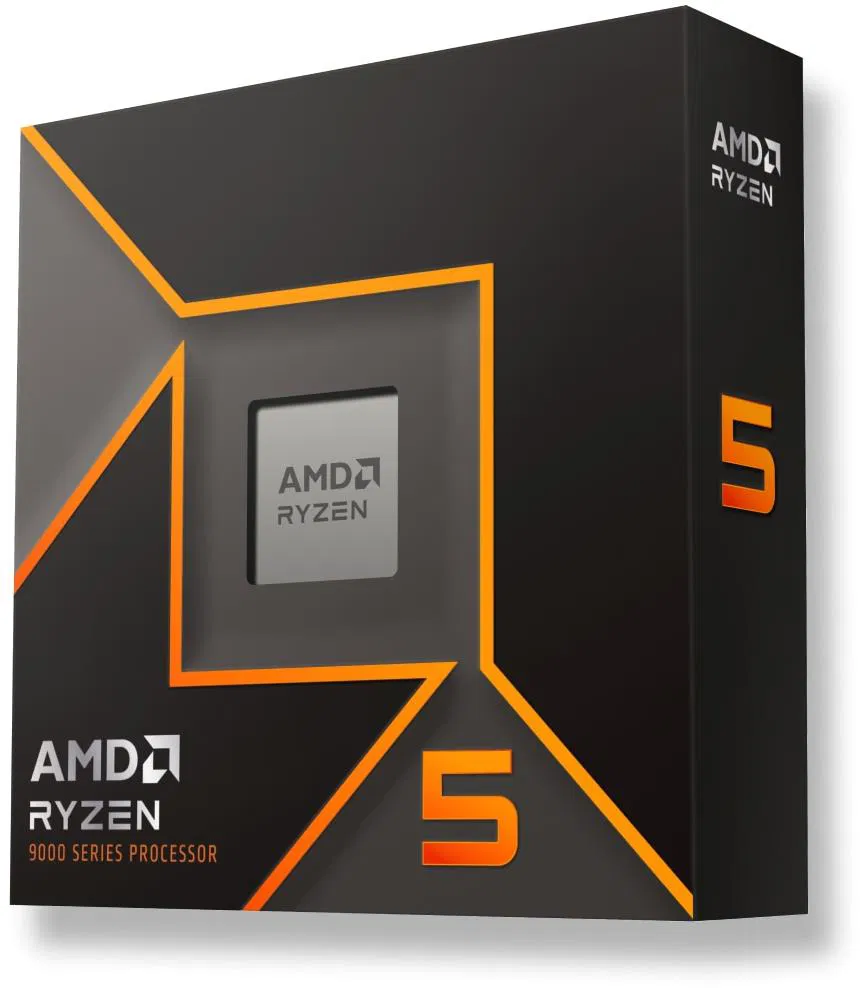
Find the best processor for your needs, whether you’re after uncompromising gaming performance or an efficient foundation for a 4K build.