Buying a new graphics card is a small celebration for every hardware fan. You unpack the box, insert the card into the slot, and look forward to smooth graphics in the latest games. For many, however, this moment of joy turns into pure frustration after just a few minutes of use. Instead of being absorbed by the sounds of the game, you are greeted by the aggressive noise of the fans, which easily drowns out even high-quality headphones.
The noise level of graphics cards is not just a matter of comfort; it is also a sign of engineering failure, undersized cooling, or unfortunate cost-cutting on components. We looked at the worst cases that have undergone rigorous testing by renowned publications and gone down in history as “turbines” that you would not want in your computer.
The legendary “hair dryer” era: Radeon R9 290X
If we were to crown a king of noise, the reference version of AMD’s Radeon R9 290X card would be a hot candidate. When it was released, expert publications measured values exceeding 50 to 55 dBA at full load, which is a noise level at which normal conversation in a room becomes unpleasant.
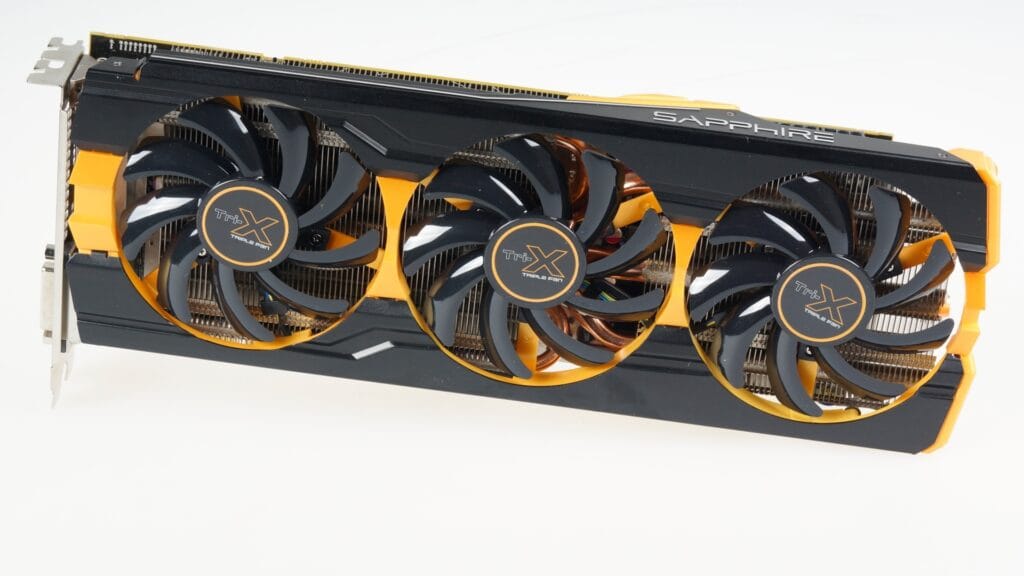
The problem was not the chip itself, which was extremely powerful, but the unfortunate design of the “blower” cooler. AMD opted for a single radial fan that had to push air through the dense fins of the passive cooler. To prevent the card from overheating above the critical limit of 95 °C (203 °F), the fan had to run at extremely high speeds. The result was a noise level of graphics cards that became the butt of jokes in the community and was even compared to a hair dryer. To this day, this model serves as a warning to any manufacturer who would like to underestimate the waste heat of flagship products.
When you save in the wrong place: MSI RX 5700 XT EVOKE
Sometimes the noise is not just caused by a weak fan, but by a fatal design flaw that you only notice after disassembling the card. This is exactly what happened with the MSI Radeon RX 5700 XT EVOKE, which was sharply criticized in reviews by Steve Burke of Gamers Nexus, among others. This card is a prime example of how poor internal layout can negatively affect the noise level of graphics cards and ruin an otherwise promising product:
- Insufficient contact: The manufacturer used heat pads that were too small for the memory modules, which did not cover their entire surface.
- Temperature trap: The VRAM overheated to such an extent that the card’s control logic had to push the fan speeds to extremes to save the card from damage.
- Acoustic profile: The result was not just noise, but a high-frequency whine that was much more annoying to the human ear than a deep hum.
Coil whine as a modern bogeyman
Noise in the modern sense is no longer just about the mechanical movement of fans. With the arrival of extremely powerful cards such as the RTX 4090 or Radeon RX 7900 XTX, a problem known as Coil Whine has come to the fore. This is a high-frequency whine caused by physical vibrations of the coils in the power supply cascade when there is a huge current flow.
Specialized laboratories, such asIgor’s Lab, have documented in detail that the overall noise level of graphics cards is often related to the quality of the components used. You can have a dozen quiet fans and water cooling in your case, but if the manufacturer saved a few cents on the coils, your card will “sing” so loudly at high FPS that you will hear it even through the tempered glass side panel. It’s a paradox of modern marketing – the card boasts “quiet operation,” but doesn’t mention the physical manifestations of poor-quality electronics.
A look back at history: The vacuum cleaner called GeForce FX 5800 Ultra
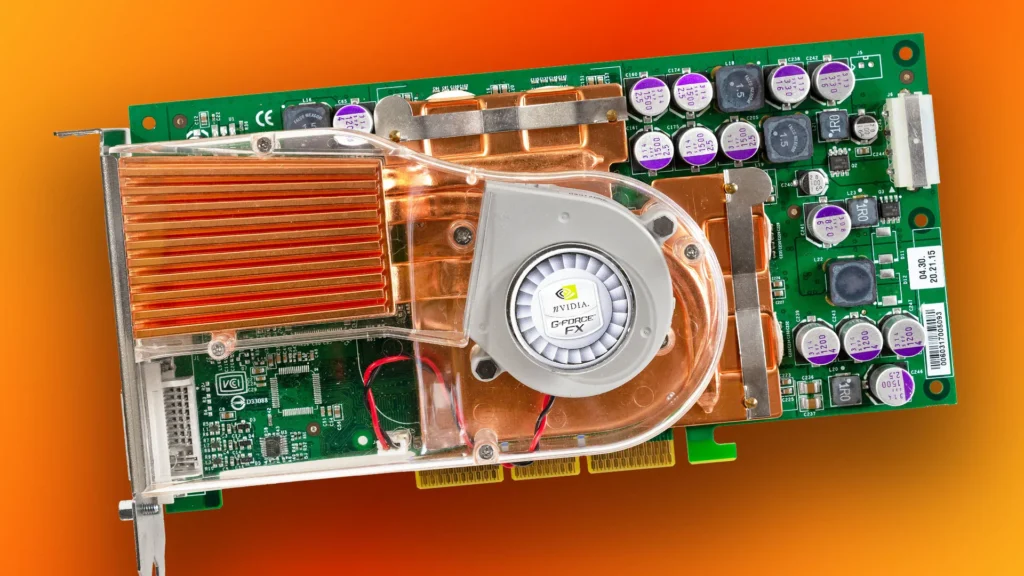
Older enthusiasts will surely remember the period when Nvidia introduced the GeForce FX 5800 Ultra model. This card was immediately nicknamed “Dustbuster” (handheld vacuum cleaner). It was one of the first attempts at massive cooling, but it ended in disaster. Under load, the card produced such a distinctive and loud noise that Nvidia had to repair the damage to its image with humorous videos in which it made fun of itself. However, it was an important moment for the entire industry. Manufacturers realized that a single small high-speed fan – and the resulting high noise level of graphics cards – was not the right way to cool high-end chips, so they began experimenting with larger surfaces and slower fans.
Small cards with a lot of noise: ITX editions
We often mistakenly believe that only the most powerful “monsters” are noisy. However, the opposite is true. Today, the most acoustic pollution is produced by cheaper models in the so-called ITX versions (with one fan). Cards such as the economical RTX 3060 or RX 6600 in a single-fan design have to dissipate the same amount of heat on a fraction of the surface area compared to three-fan versions. Measurements on leading testing websites show that these cards typically reach 45 dBA. A small passive cooler and a fan spinning at over 2500 rpm are simply a recipe for noise that you can’t avoid in a small case.
Conclusion: Silence as a premium feature
History and modern analysis have taught us one important lesson: the high noise level of graphics cards is almost always the result of compromises made during production. Manufacturers like to mention “0 dB technology” in their marketing, but this only means that the card is quiet when you are not doing anything with it. The real test comes after an hour of playing a demanding game. If silence is a priority for you, don’t rely on marketing slogans. Look for independent reviews that focus on acoustic profiles under load. The noisiest cards in history have taught us that even the highest frame rate isn’t worth making your gaming corner sound like an airport runway.
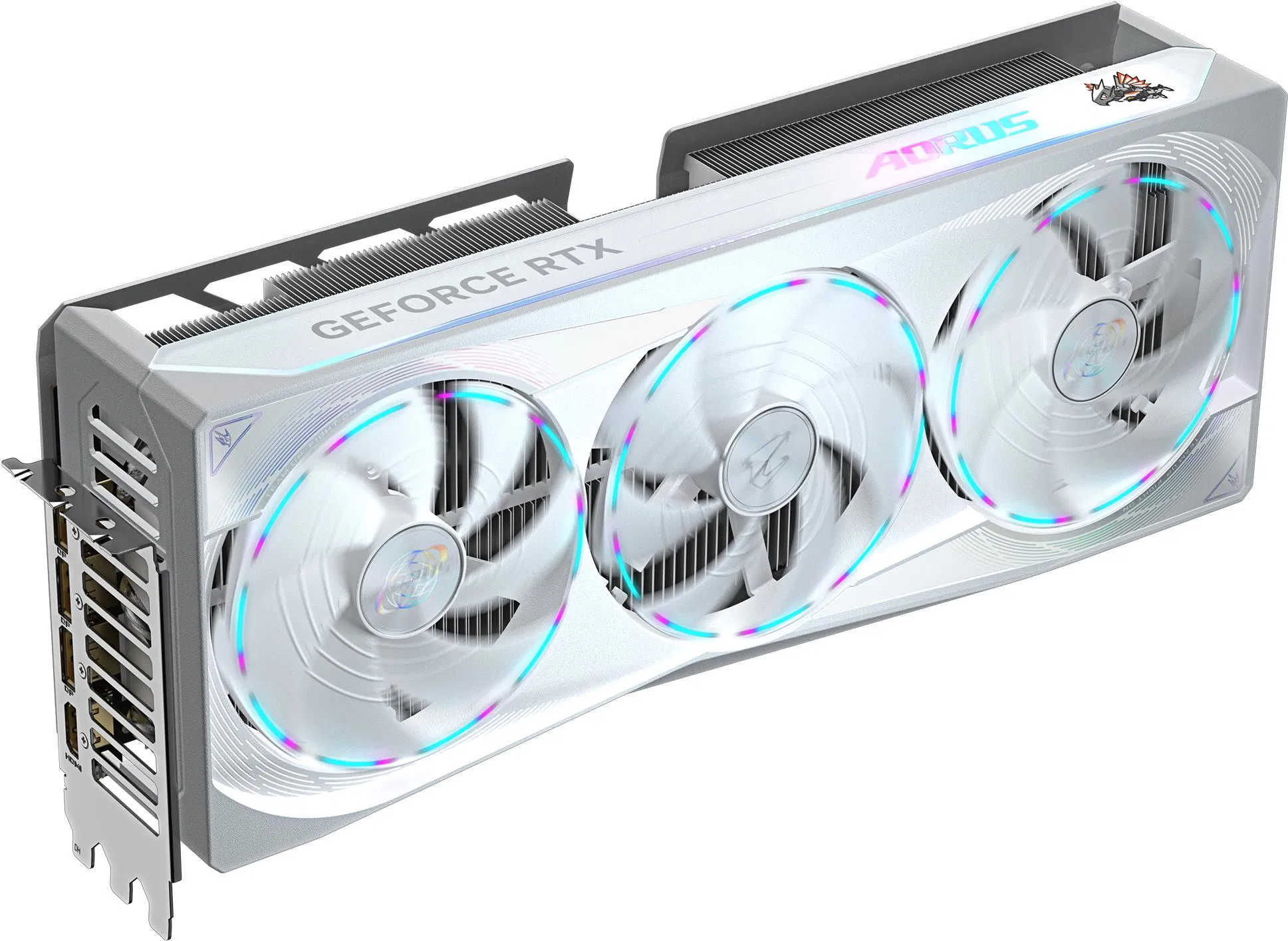
When choosing a GPU, don’t focus only on FPS. Look at the number of fans, the size of the heatsink, and noise-focused reviews under load. Quality cooling is an investment in your gaming comfort.